Schools and colleges
Help pupils, parents and referrers understand classrooms, specialist facilities and the wider environment before an open day or visit.
360° virtual tours
Interactive tours for schools, practices, venues and other organisations where understanding the space helps someone feel informed, reassured and ready to visit.
Make the unfamiliar feel familiar
Some decisions depend on a place. A prospective pupil wants to understand a school. A patient wants to know what the clinic feels like. A performer needs to see the venue—not merely read a list of facilities.
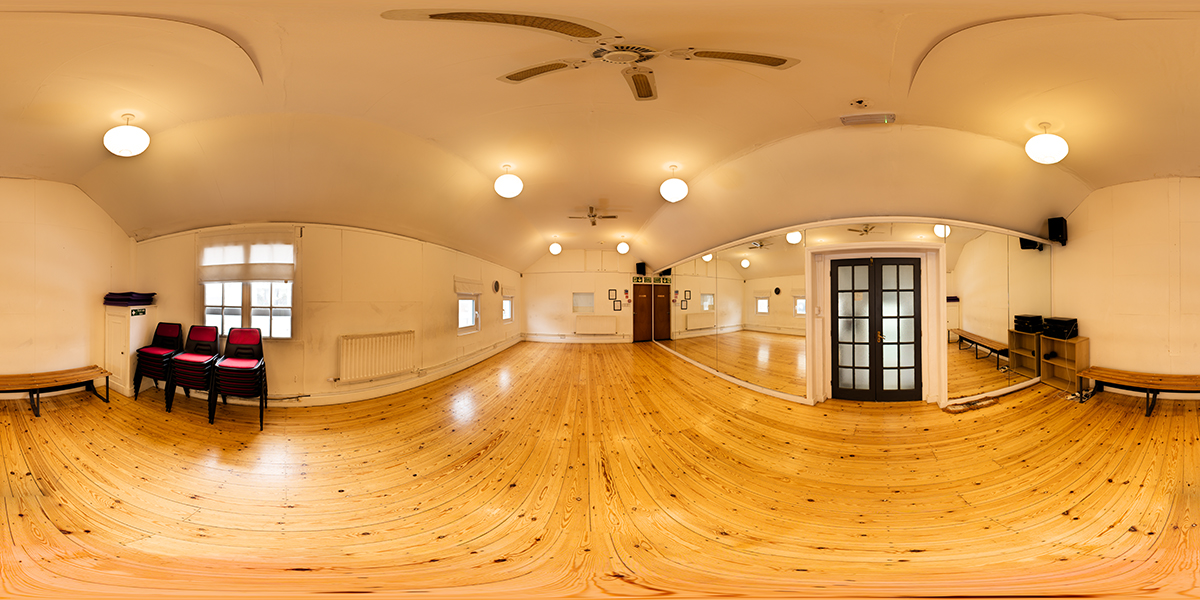
A 360 tour lets people explore in their own time, using an ordinary phone, tablet or computer. It can answer practical questions, reduce uncertainty and help the right visitors take the next step.
And it need not feel like a trail of empty rooms. Vivify can bring in short films, photographs, captions and useful links so the tour explains what happens in the space as well as what it looks like.
Where tours work well
Help pupils, parents and referrers understand classrooms, specialist facilities and the wider environment before an open day or visit.
Make an unfamiliar appointment feel less daunting by showing the entrance, reception, treatment rooms and accessibility arrangements.
Give guests, performers and organisers a realistic sense of the rooms, layout and facilities before they enquire or book.
Take clients behind the scenes and explain the equipment, process or expertise that makes the physical space worth visiting.
Interactive ElementsVideo, photos or even quizs can be added to tours. Great for interactive online learning.
A richer kind of tour
Selected tours
The tour covers teaching, sports and student living areas. Embedded films show pupils using key facilities, so visitors see the life of the school—not just its empty corridors.
Explore the tourA practical look around the studios, theatre and social spaces used by students and visiting performers.
Explore the tourA way for parents to understand the childcare setting before arranging their first visit in person.
Explore the tourHow projects work
A considered route is easier to explore and more useful than photographing every available doorway.
Identify the audience, the decisions they are making and the spaces or information that will genuinely help.
Photograph the agreed viewpoints on location, with the space prepared and disruption kept to a minimum.
Join the spaces into a clear route, add navigation and integrate any films, photographs, text or links.
Host the finished tour at a shareable address hosted on a Vivify server and embed it into your existing or new website where required.
Straightforward quotations
The cost depends on the number of viewpoints, the size and location of the premises, and whether the tour includes additional films, photography or bespoke information. After a short conversation, we can normally define the scope and give you a clear fixed quote.
Useful things to tell us
Practical questions
Start a 360 tour project
Tell us about the premises, the audience and what a useful virtual visit needs to achieve. We will help you work out the right scope.